DWS Support · For fiber and broadband operators
One console to find, diagnose and fix every CPE.TR-069 or TR-369.
Every customer ONT and home router in one web console. Your agents find any device by serial or MAC, read its health in plain terms and fix it remotely, whichever protocol it speaks.
- Self-hosted on your infrastructure
- Per-device routing to the right engine
02 · Sound familiar
Parameter trees, spreadsheets and a different tool per protocol.
What support teams at fiber and broadband operators deal with today, and how DWS Support answers each one.
- 01
“Agents jump between ACS screens, raw parameter trees and spreadsheets.”
One console that turns parameter trees into cards with green, amber and red verdicts.
- 02
“TR-069 and TR-369 devices need different tools.”
A protocol router picks the right engine for each device. The agent never has to know which one.
- 03
“Bulk changes are risky and hard to follow.”
Canary-first, ramped, windowed and rate-limited campaigns, with pause, abort and per-device tracking.
- 04
“Activating a service means hand-typing dozens of parameters.”
One dialog each for Internet, VoIP and IPTV, pre-filled from your defaults and your inventory system.
- 05
“Known-bad firmware keeps coming back.”
A firmware repository with a publish gate, signed expiring download links, and known-issue notices that follow affected devices.
- 06
“OLTs live in a separate tool.”
OLT inventory, SNMP health and the list of attached ONTs, in the same console.
03 · What it does
Four jobs, one console.
Built for the support desk, not only for the ACS admin: every screen answers the question the agent has to decide on.
- 01
One console for every CPE
- TR-069 through GenieACS or a built-in ACS, TR-369 through a native USP controller (WebSocket)
- Search runs across all engines at once
- Move a device between ACS engines one at a time, not in one risky cutover
- Reads TR-181 and TR-098 data models
- 02
Diagnose in seconds
- Search by serial or MAC, batch lookup of up to 10, typo suggestions
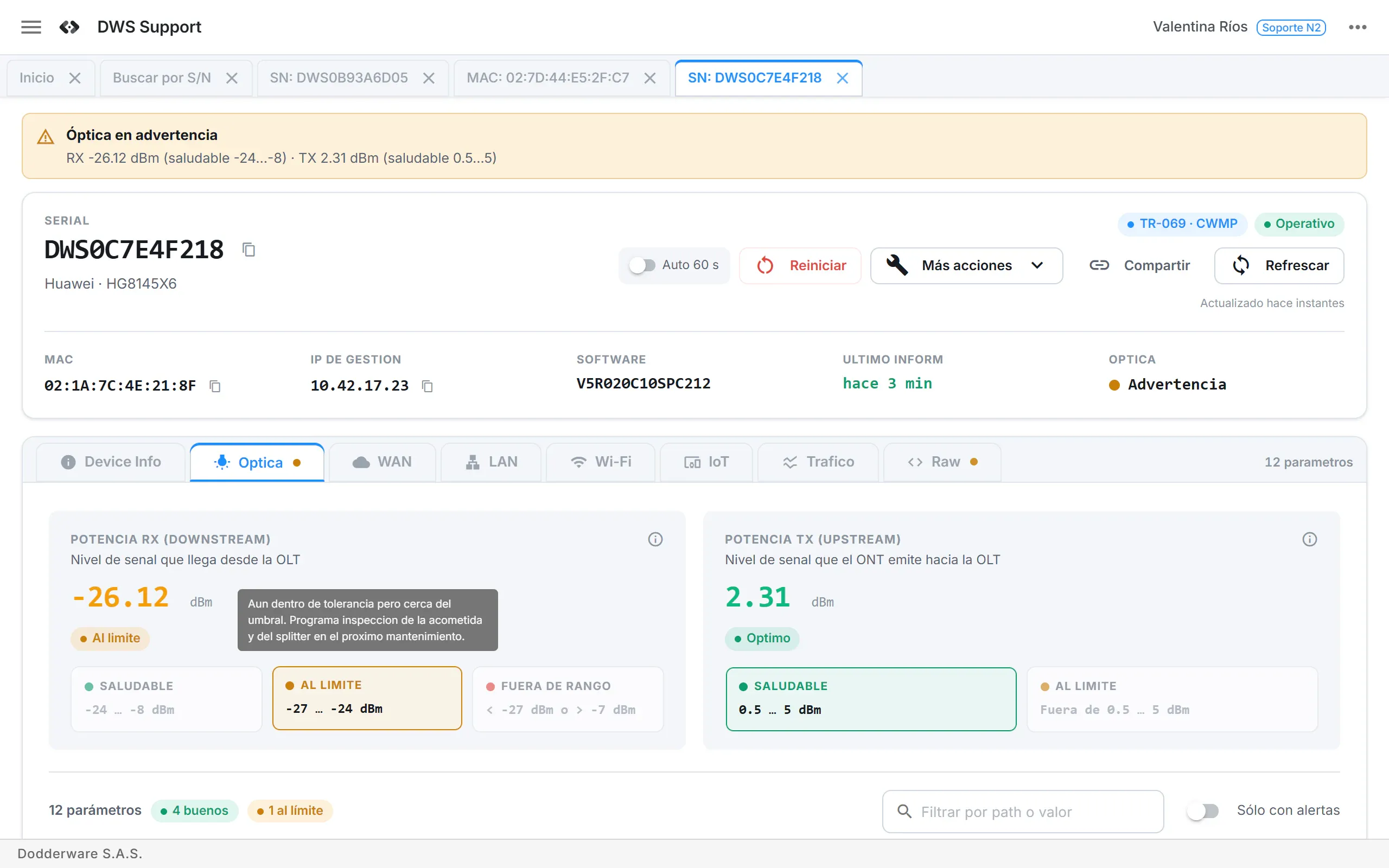
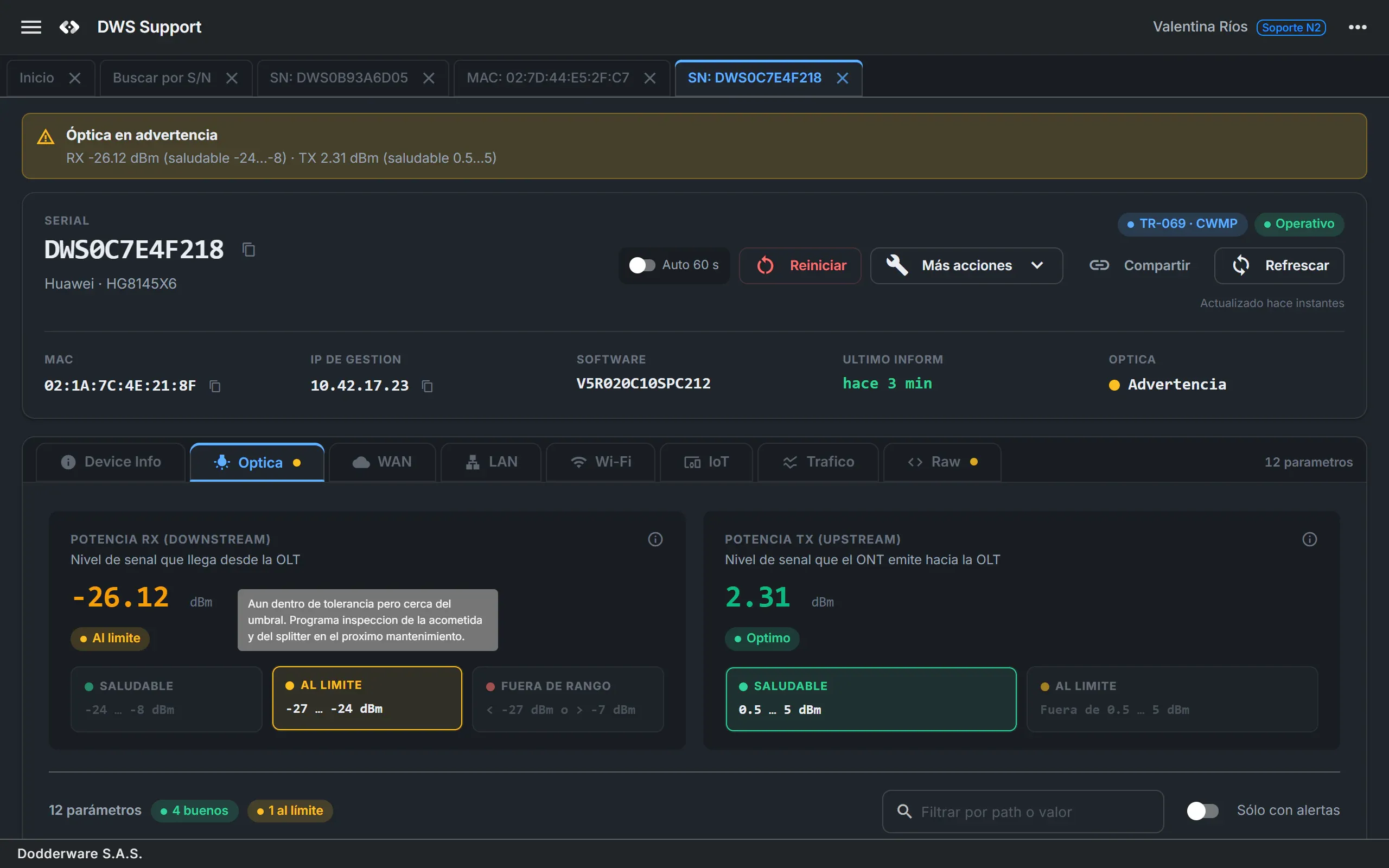
- Status, optics, Wi-Fi, LAN, traffic and connected clients across 8 tabs
- Automatic green, amber and red grading
- Health and known-issue banners on the device
- 03
Fix and provision remotely
- Reboot, factory reset and firmware push
- Wi-Fi and LAN/DHCP changes; empty fields are left unchanged
- Internet, VoIP and IPTV provisioning, with PPPoE credentials from your inventory system
- Every device command is recorded
- 04
Change the whole fleet safely
- Canary-first rollout you can pause at any moment
- Ramp per hour, maintenance window and an RPC-per-minute limit
- Draft, then approval by a different person
- Abort and roll back pending devices
04 · How it works
Three steps from install to fleet.
- 01
Connect your ACS and devices
Run DWS Support on your own infrastructure with Docker. Connect GenieACS, or turn on the built-in TR-069 ACS and the TR-369 controller, and link your inventory system and your NOC.
- 02
Find and diagnose
Agents press / and paste a serial. The device card already answers the first question, and the tabs show where the problem is.
- 03
Act on one device or on thousands
Fix one customer's router from the detail view, or roll a change out to a whole model line with a campaign.
05 · Inside the console
Answers, not parameter dumps.
Browser-style tabs keep several customers open at once, titled by serial or MAC. Every screen is organised by what the agent needs to decide.
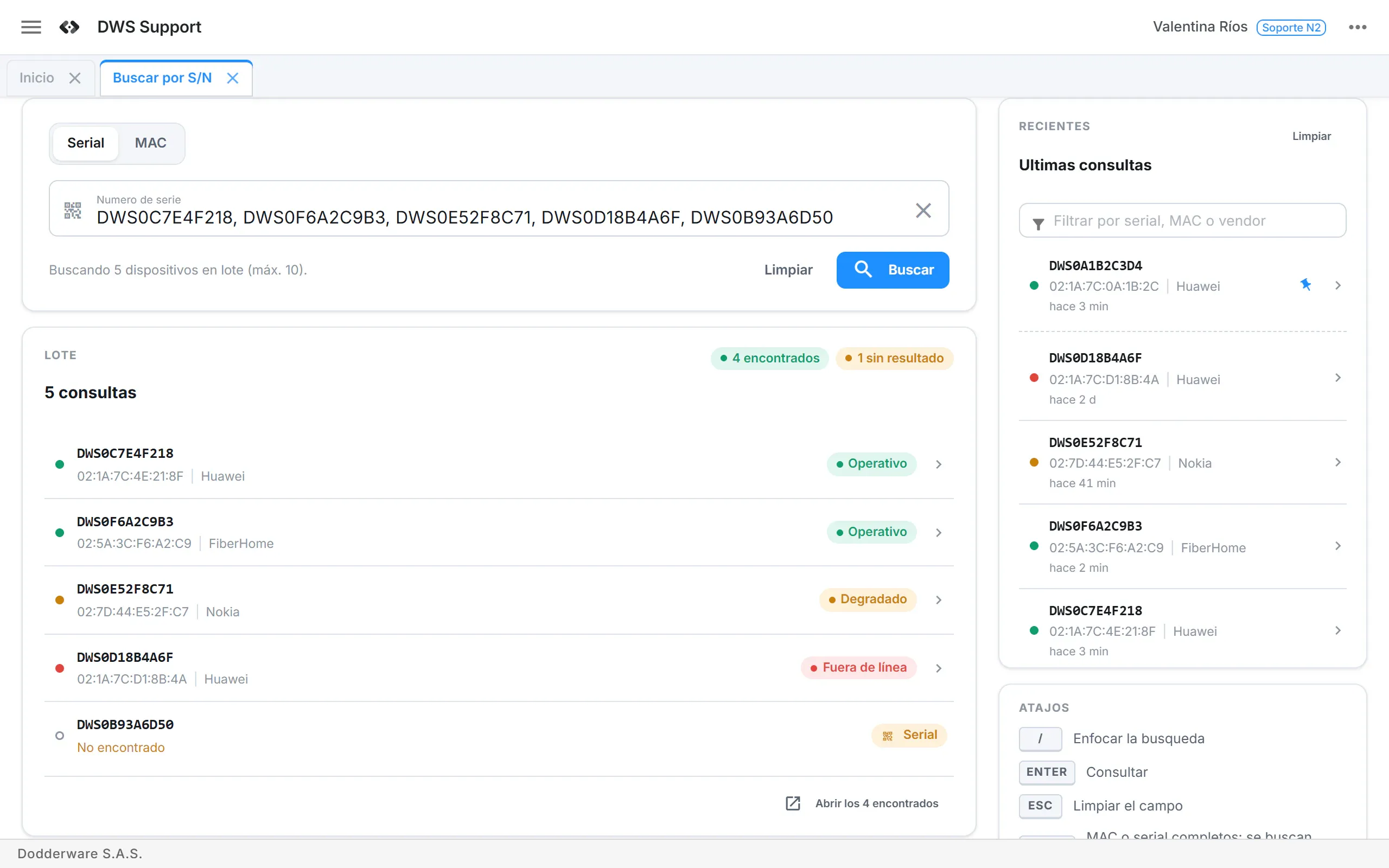
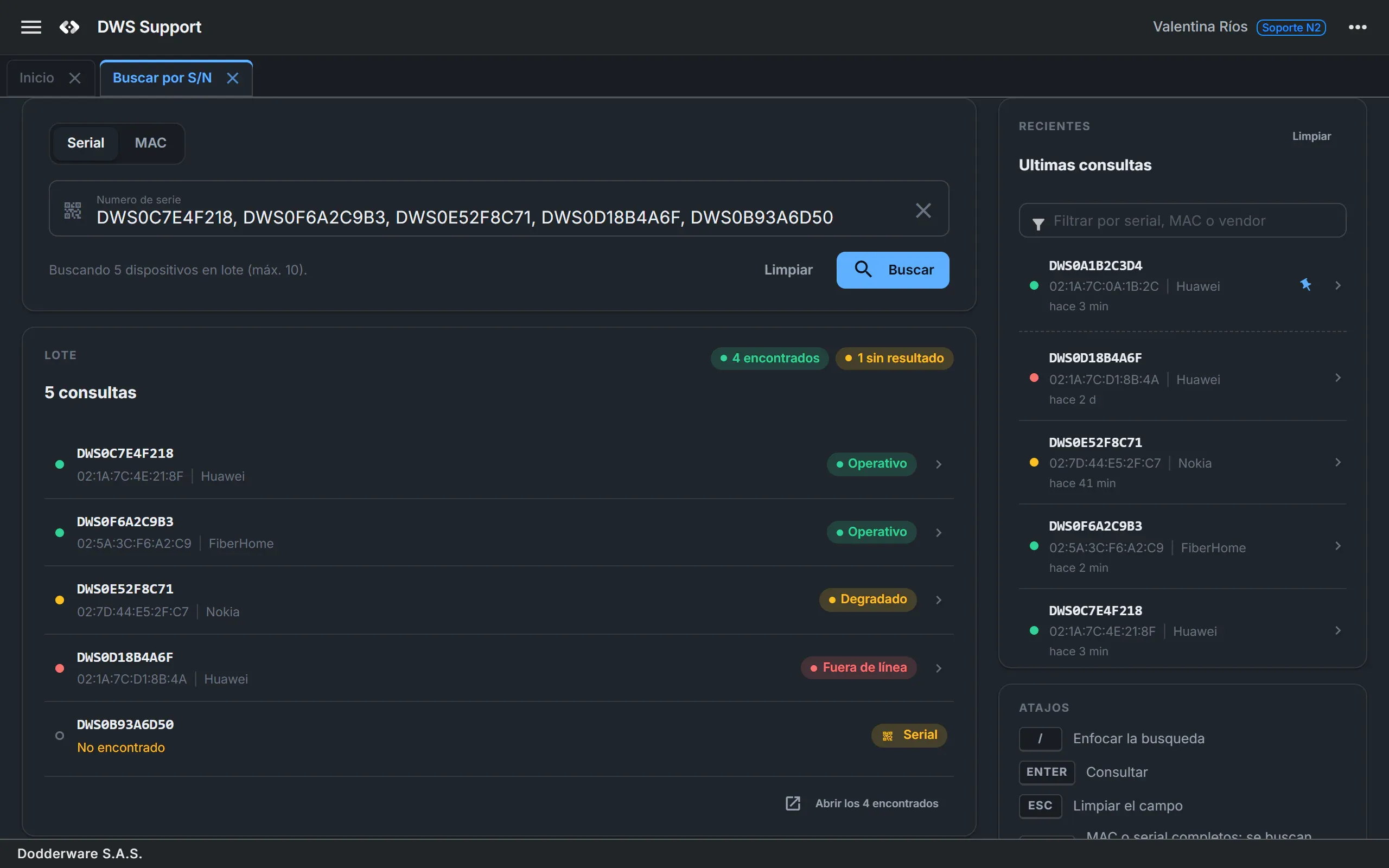
Device searchSerial or MAC in any format. Paste to search, batch up to 10 values, and get a suggestion when a serial has a typo. 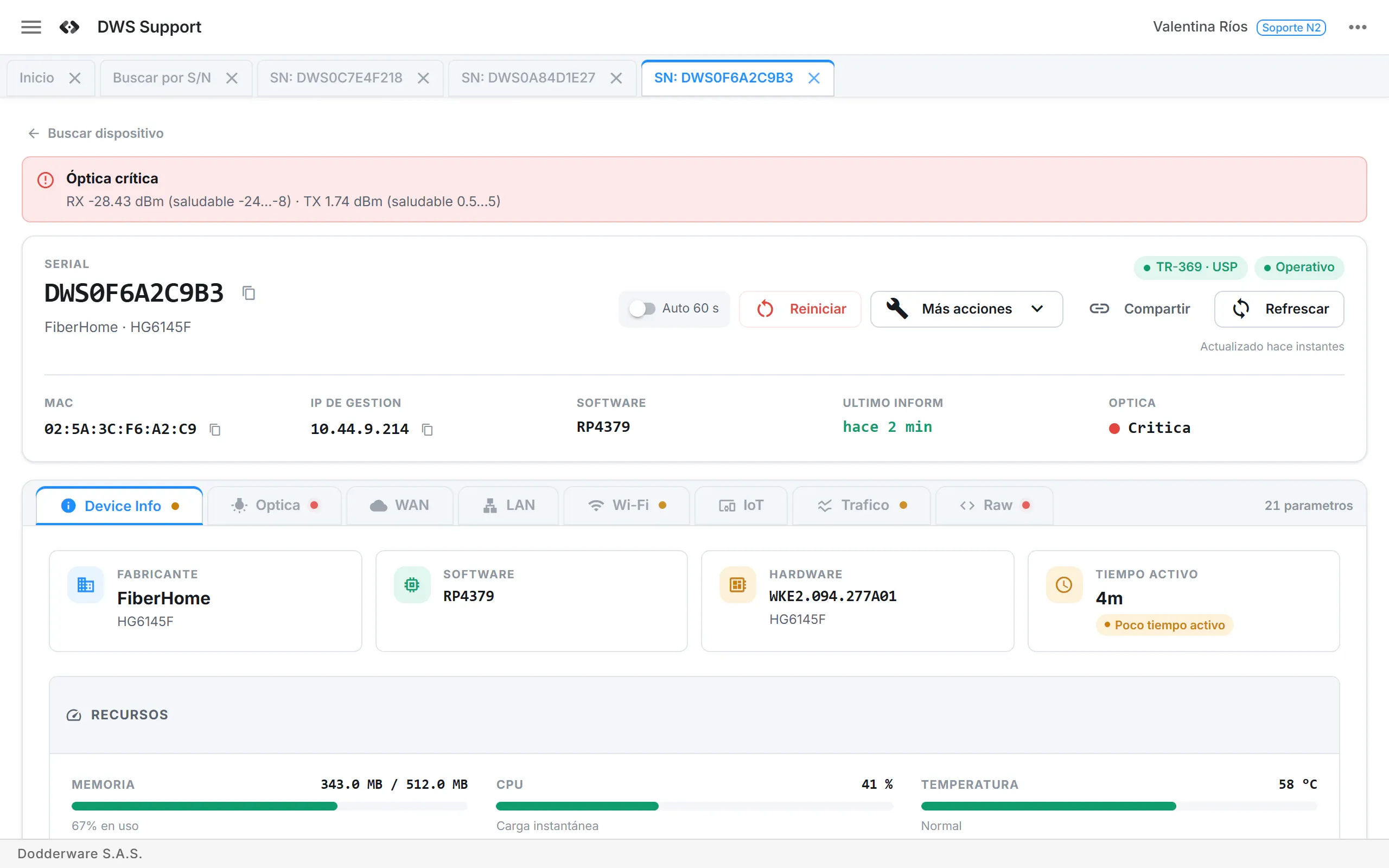
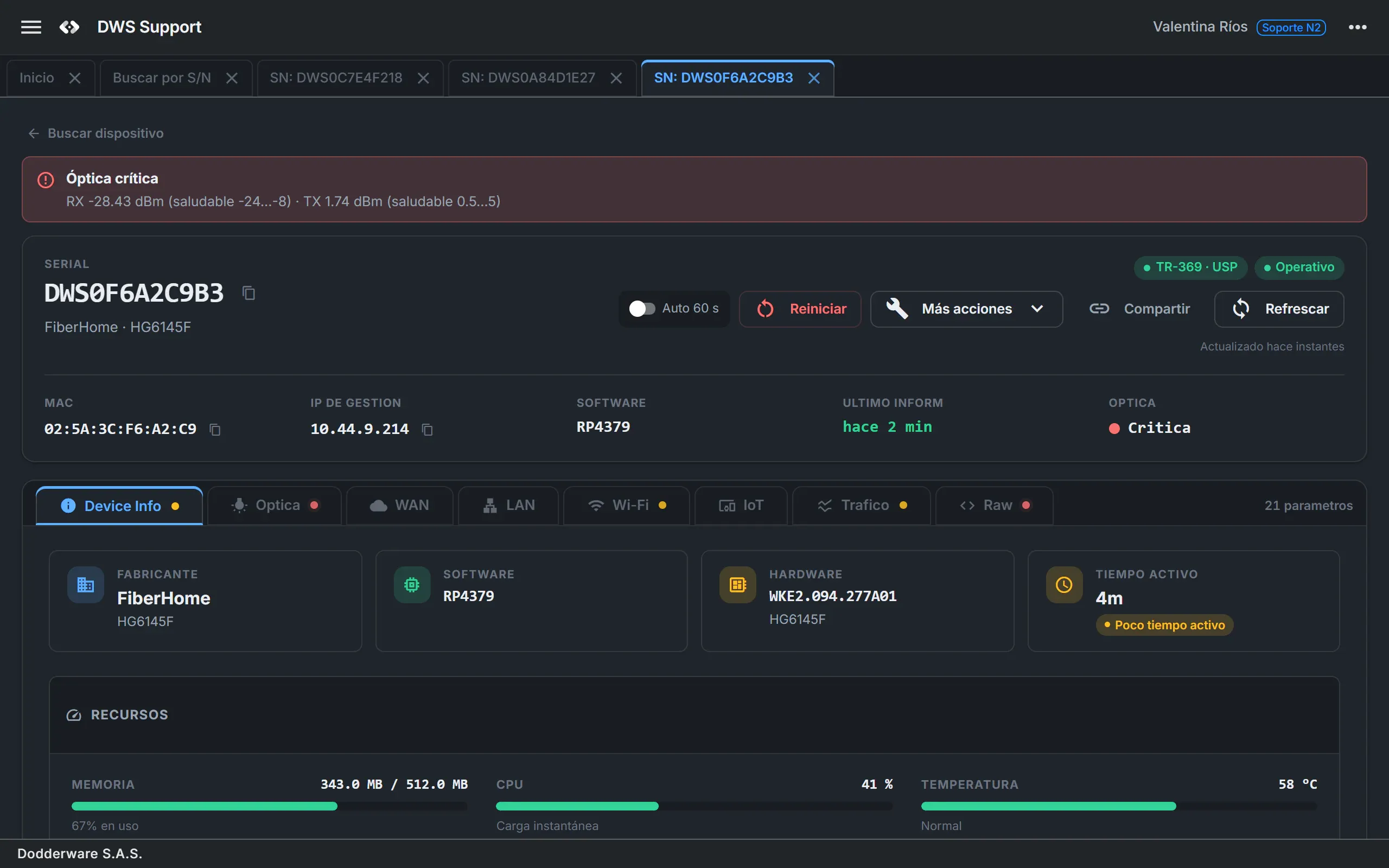
Device detailEight tabs: device info, optics, WAN, LAN, Wi-Fi, connected clients, traffic and raw parameters. A red or amber dot shows where the problem is. 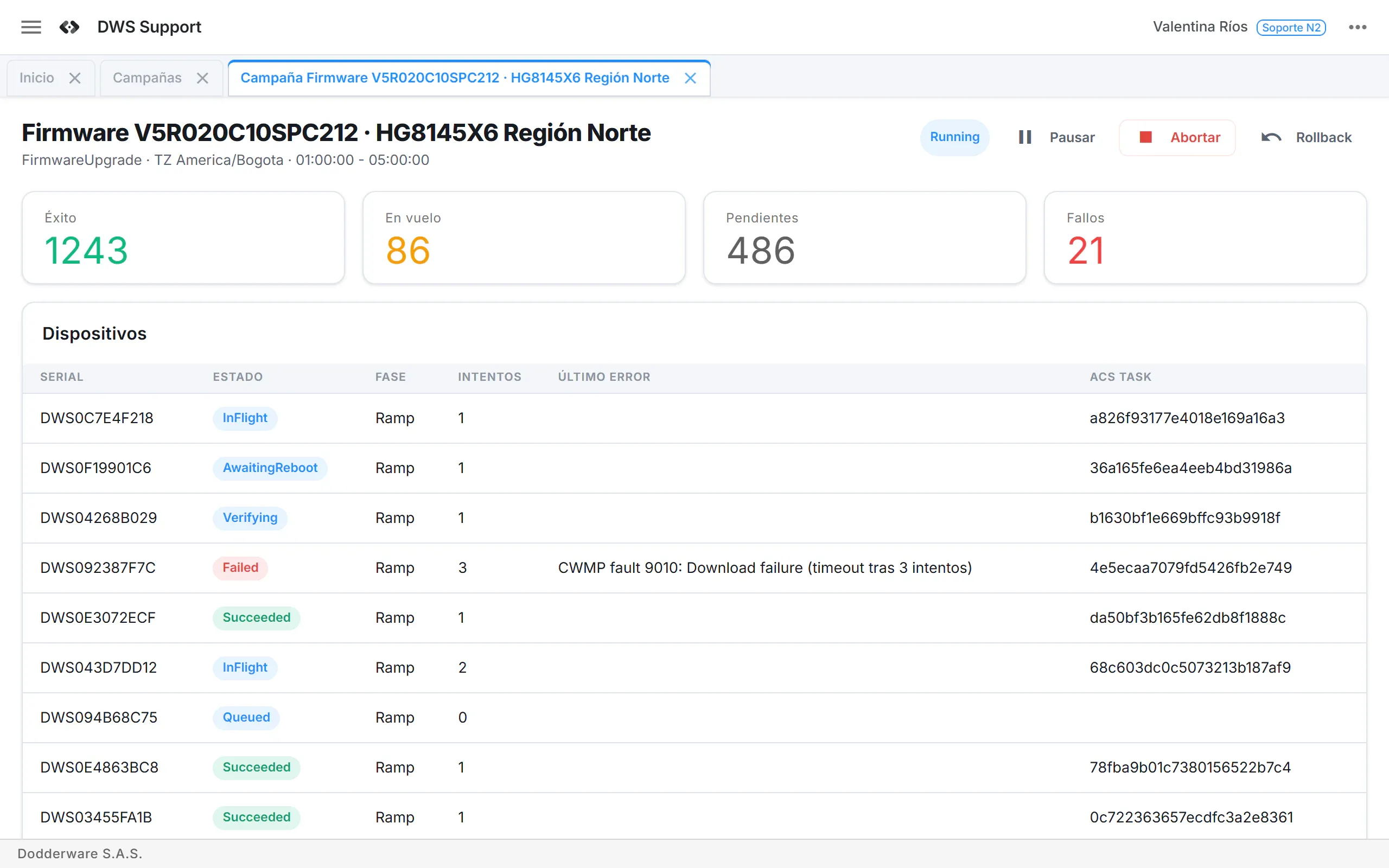
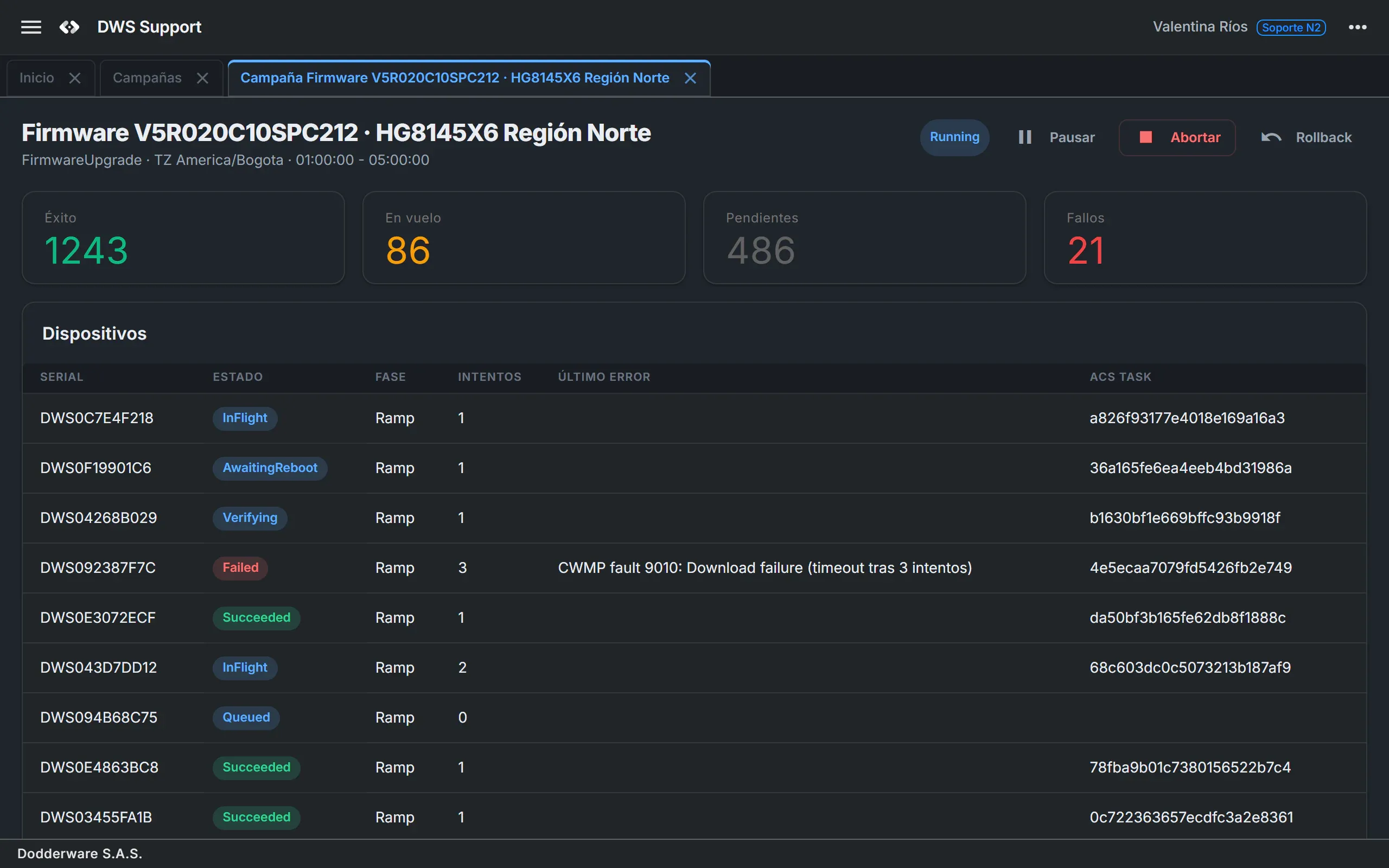
CampaignsPick targets by vendor, model, region and tags; set canary, ramp, window and rate limit; follow every device live. 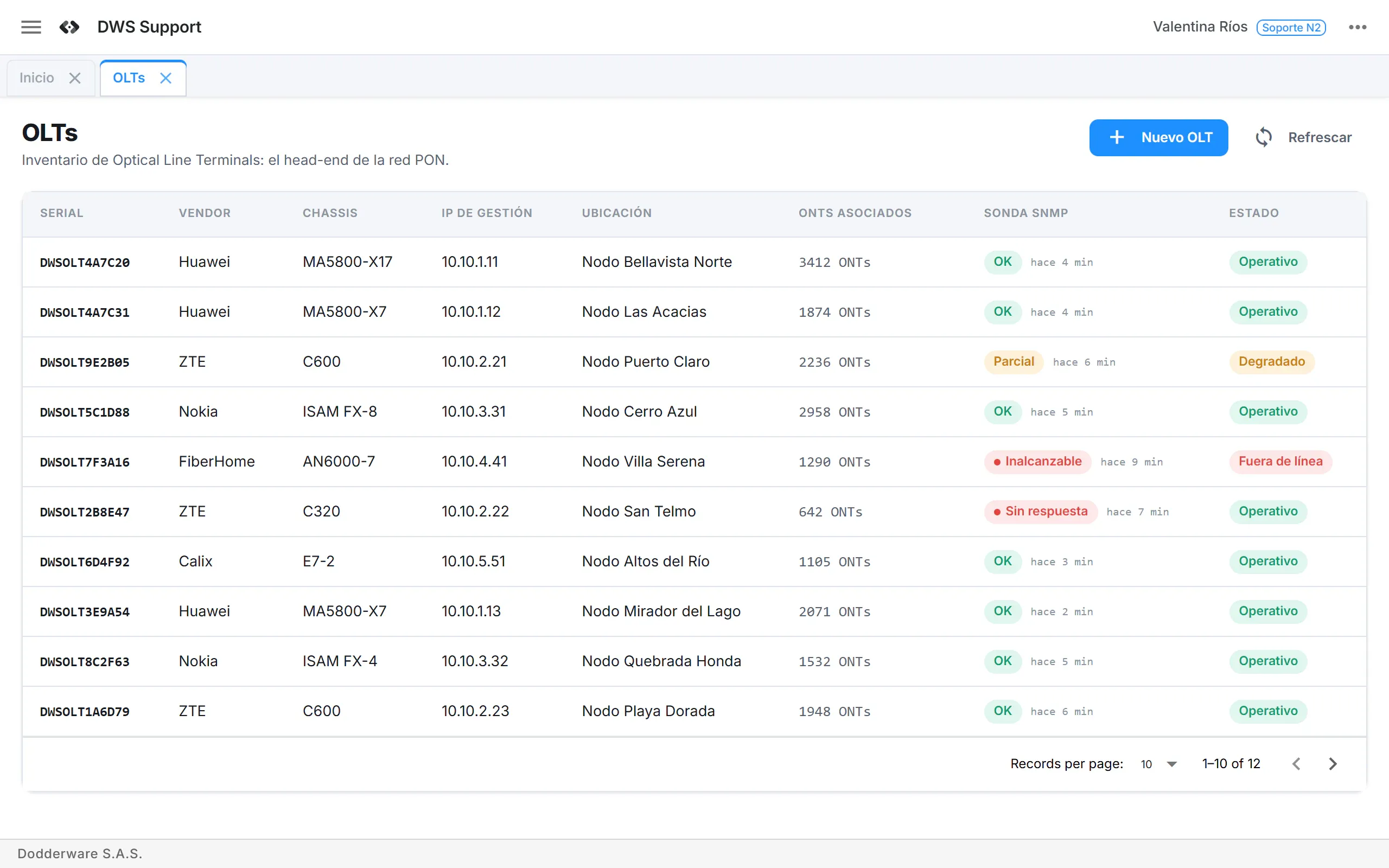
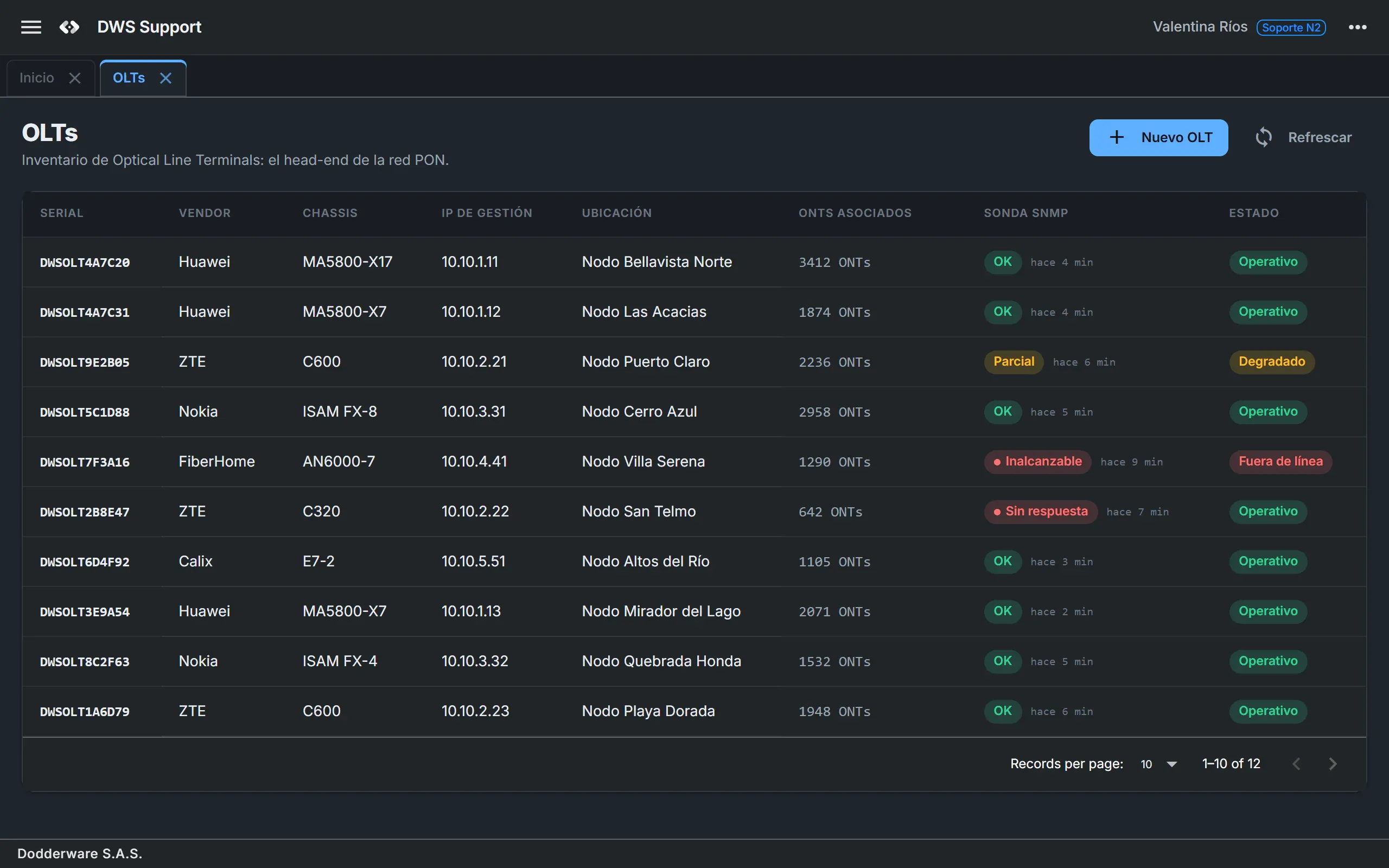
OLTsInventory, live SNMP probes, a 15-minute background sweep, status history and the list of attached ONTs. 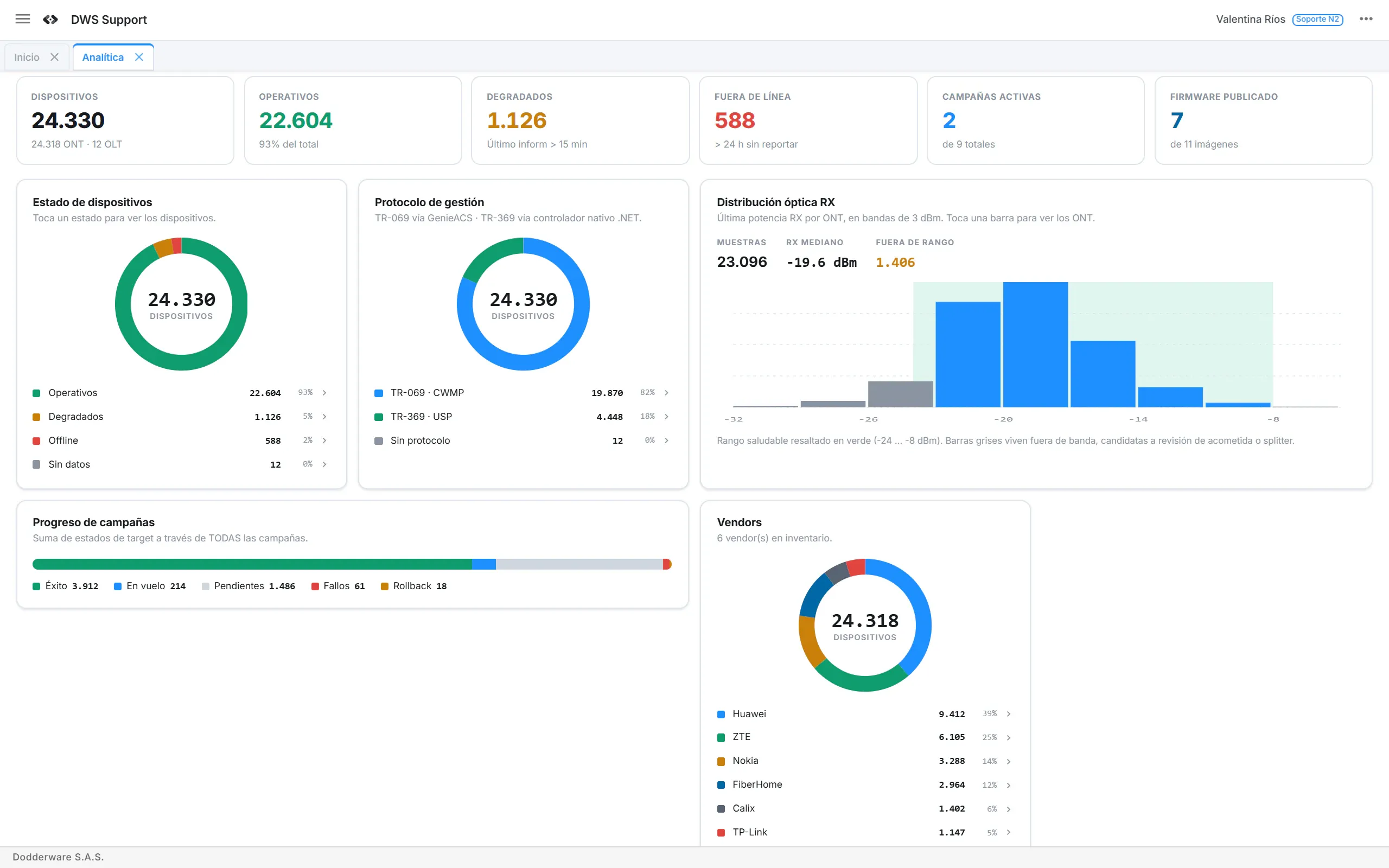
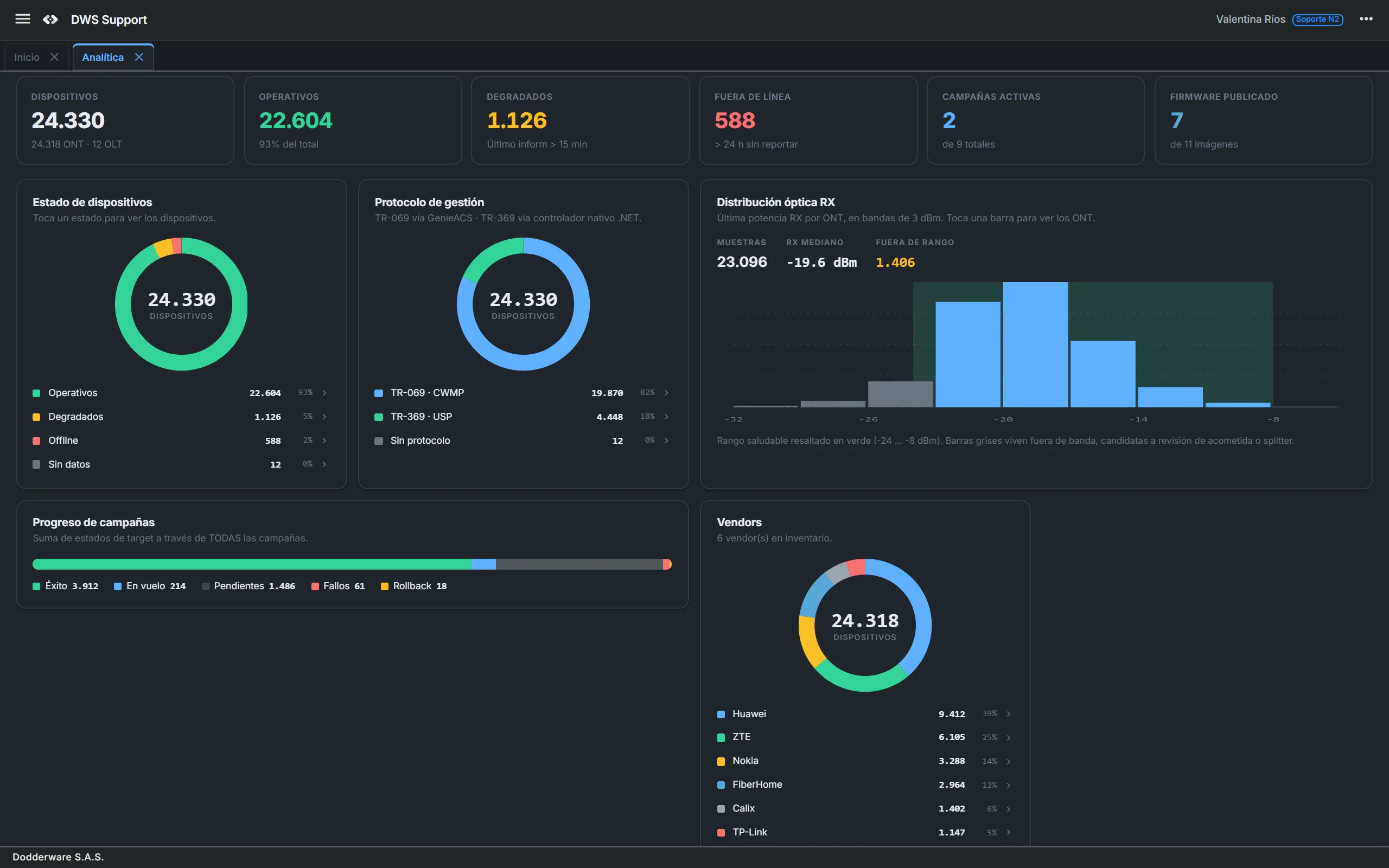
AnalyticsOperational share, offline count, protocol and vendor split, and an optical RX histogram. Click any bar to list the devices behind it.
06 · Built for your team
Every role brings a different question.
Roles decide what each person sees and can do, from the call center to the NOC.
L1 agent
“Is this customer's router online and healthy?”
UsesDevice search, summary card, health banners, reboot.
L2 and technical support
“Why is the service degraded, and can I fix it without a field visit?”
UsesDetail tabs, Wi-Fi and LAN edits, firmware push.
Service activation
“Turn on Internet, VoIP and IPTV on this ONT.”
UsesProvisioning dialogs, your defaults, PPPoE credentials from your inventory system.
CPE fleet engineering
“Upgrade a whole model line without breaking it.”
UsesCampaigns, the firmware repository, known-issue notices.
NOC
“Are my OLTs reachable? How healthy is the optical base?”
UsesOLT inventory and SNMP probes, the alarm webhook, analytics.
Admin and security
“Who can do what, under which rules?”
UsesUsers, roles with 56 permissions, health thresholds, USP certificate approval.
07 · Security and deployment
Runs in your data center. Device data never has to leave your network.
Docker images on your own infrastructure, MySQL, standard Broadband Forum protocols and small, isolated extension points for new vendors.
Customer premises
- TR-069 ONTs and routers
- TR-369 USP agents
CWMP · USP over WebSocket
DWS Support · Self-hosted
- Operator console (web app, installable)
- Support API with the protocol router
- Built-in TR-069 ACS and TR-369 USP controller
- MySQL
SNMP · signed webhooks · Kafka
Your network and systems
- OLTs, any vendor, via SNMP
- GenieACS (optional)
- Inventory web service
- NOC alarm receiver
Role-based access
56 granular permissions. The interface hides what a role can't do and the API enforces every permission on the server.
Credentials and sessions
PBKDF2-SHA256 password hashing, lockout after 10 failed logins, 8-hour sessions.
Encrypted device credentials
OLT SNMP communities and TR-069 Connection Request passwords are encrypted at rest.
Signed integrations
Inbound and outbound webhooks use HMAC-SHA256 with a timestamp and a ±5 minute window.
Every device command is recorded
Who ran it, the payload with secrets removed, and the result. Campaign events and OLT status changes too.
Ready for your platform
Docker images, /health and /health/ready endpoints, and optional Kafka for device commands and events.
08 · In numbers
2
device protocols, TR-069 and TR-369, in the same screens
3
engines behind one console: GenieACS, a built-in ACS, a USP controller
8
detail tabs per device, graded green, amber and red
10
serials or MACs in one batch lookup
56
granular permissions for roles
15 min
between background SNMP probes of every OLT
09 · Coming next
On the roadmap.
Planned, not available yet. Ask us where each one stands.
- Planned
Mass-outage detection
Group offline devices by OLT, PON or region, point to the likely failure, show the impact in customers and send one alarm per incident.
- Planned
History and trends
Time series for optics, uptime and traffic, and a fault timeline per device.
- Planned
Deeper OLT support
SNMPv3, vendor adapters and GPON optical data read from the OLT.
10 · Get started
From customer call to fixed router, in one screen.
Request a demo and tell us about your network: number of subscribers, your current ACS and your CPE vendors. [CONFIRM: demo or pilot, and what it includes]
WhatsAppSelf-hosted and standards-based
- Docker images on your own infrastructure
- MySQL 8, with GenieACS and Kafka as options
- TR-069, TR-369 / USP and SNMP
- Standards-based, with vendor-specific extensions