DWS Operations · For telecom NOCs
From alarm to answer,in one console.
Fault management, network inventory and an ITIL service desk in one workspace, built for telecom NOCs. Stop switching between your NMS, your ticketing tool and your spreadsheets.
- Open JSON webhook for any NMS
- Runs inside your own network
02 · Sound familiar
Four tools, copy and paste, and knowledge that walks out the door.
What a typical NOC lives with today, and how DWS Operations answers each one.
- 01
“Alarms live in the NMS, tickets in another tool. We copy and paste between them.”
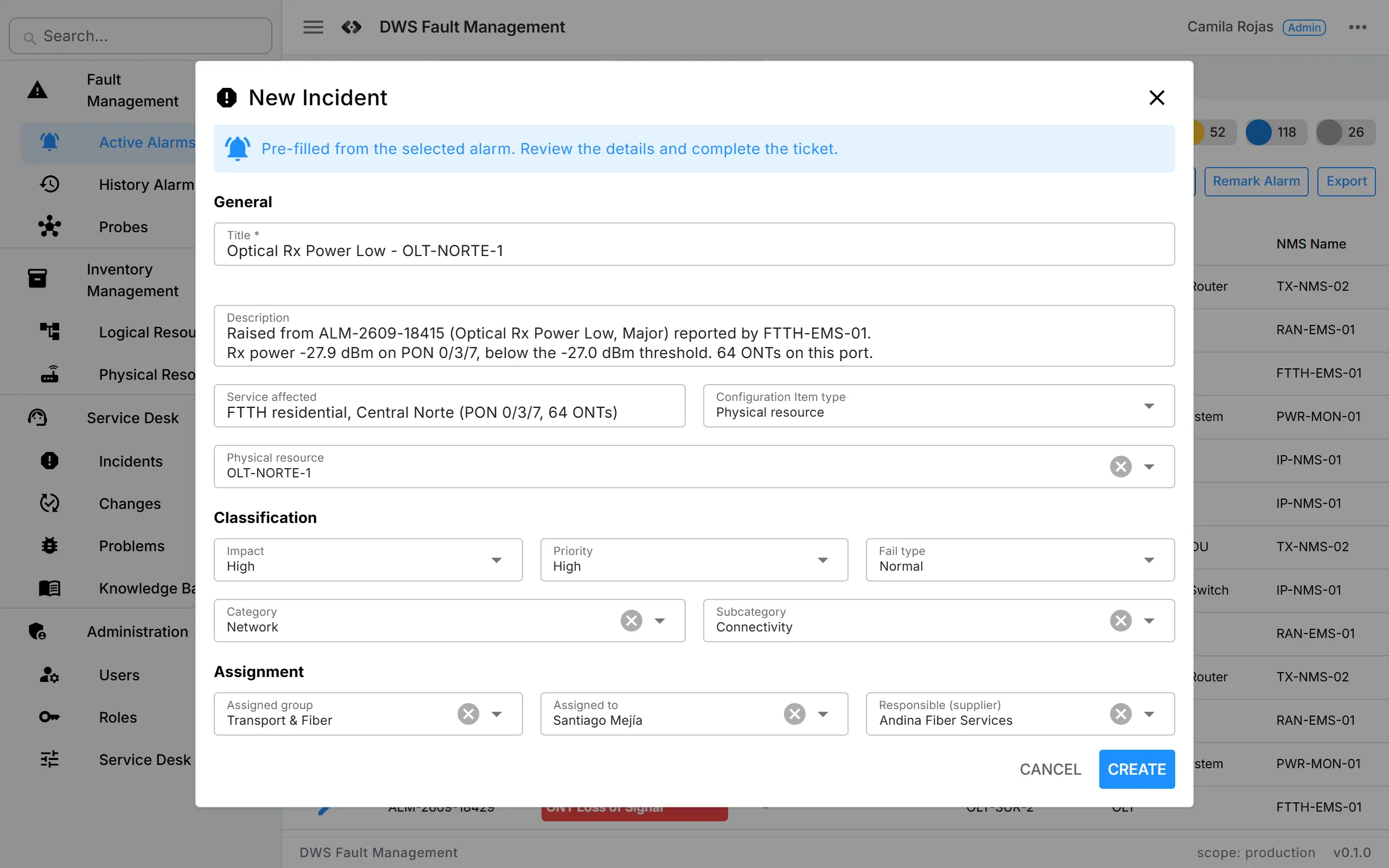
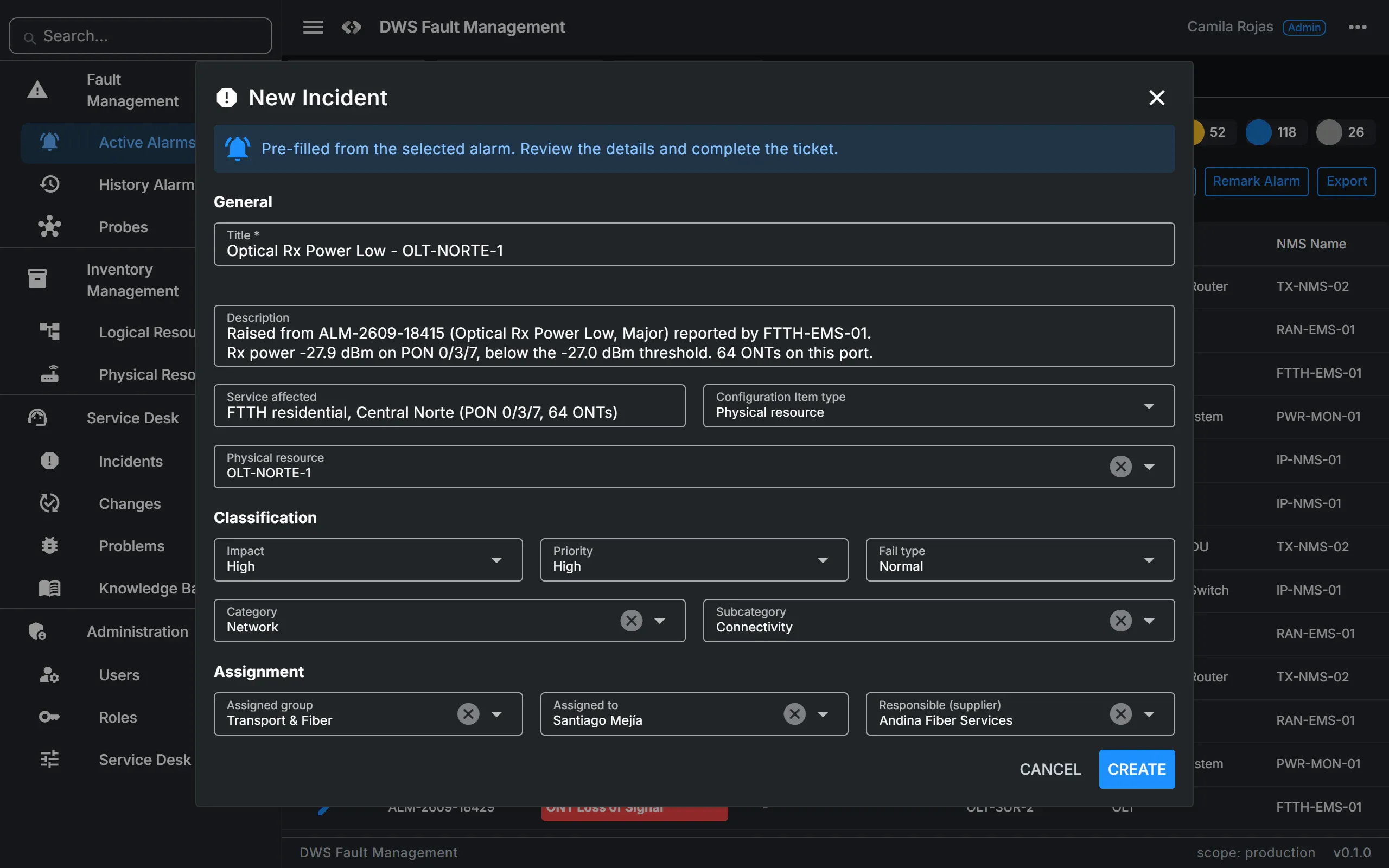
A trouble ticket is created from the alarm itself, with title, description, priority and impact filled in. The alarm row then shows the ticket number.
- 02
“Alarm storms flood the database and the screen.”
Alarms are queued on arrival and written in batches, about once a second. Repeated alarms update the existing record instead of duplicating it.
- 03
“Tickets have no network context. Which router? Which site?”
Every ticket can point to a configuration item from the inventory, logical or physical. One click opens it.
- 04
“Knowledge leaves with the engineer who fixed it.”
A knowledge article is created straight from an incident's resolution, pre-filled with symptoms, cause and resolution.
03 · How it works
Connect, see, resolve.
- 01
Connect
Any NMS, EMS, umbrella manager or probe that can send JSON over HTTP posts each alarm to one webhook. The endpoint answers at once; storage happens in the background.
- 02
See
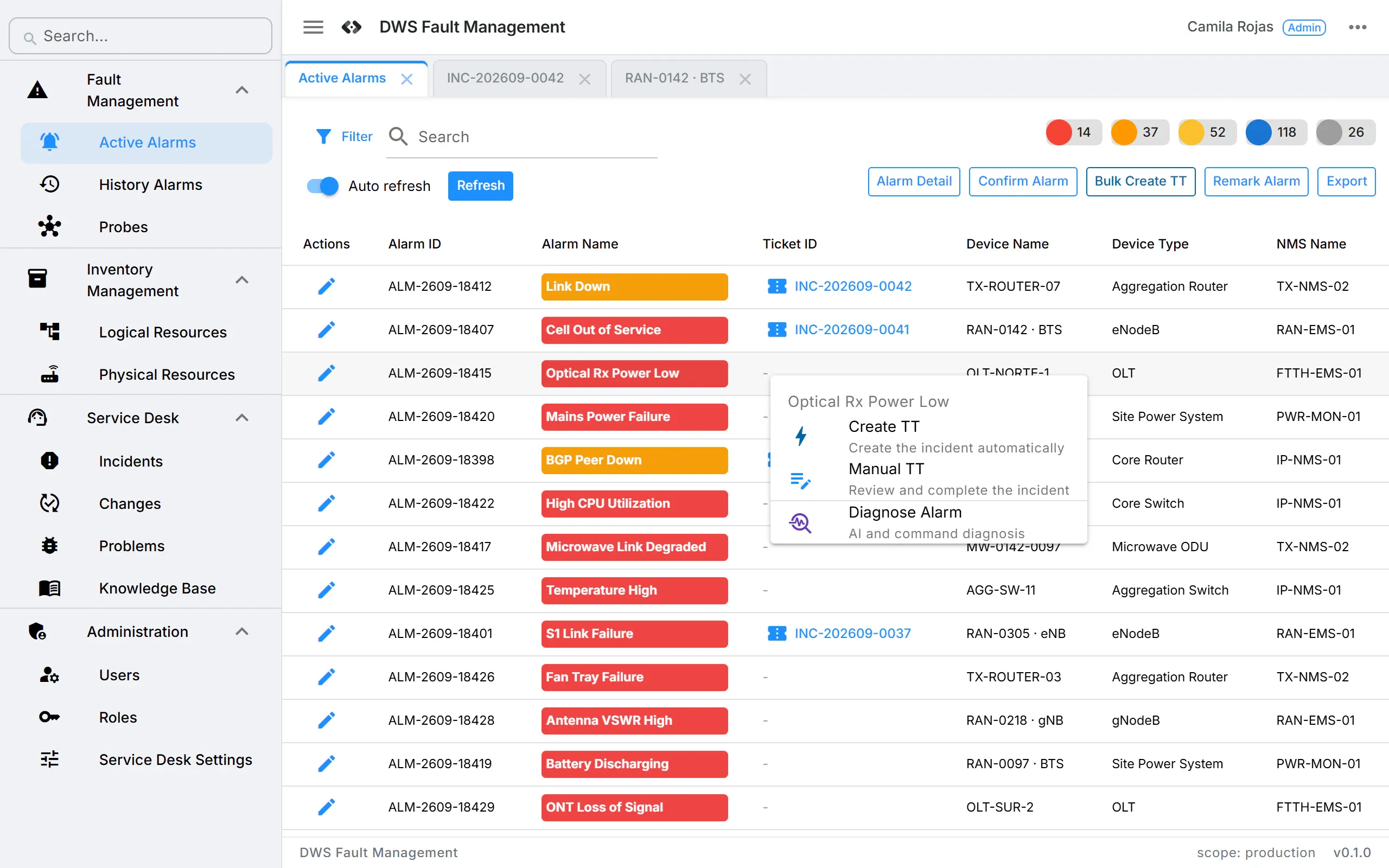
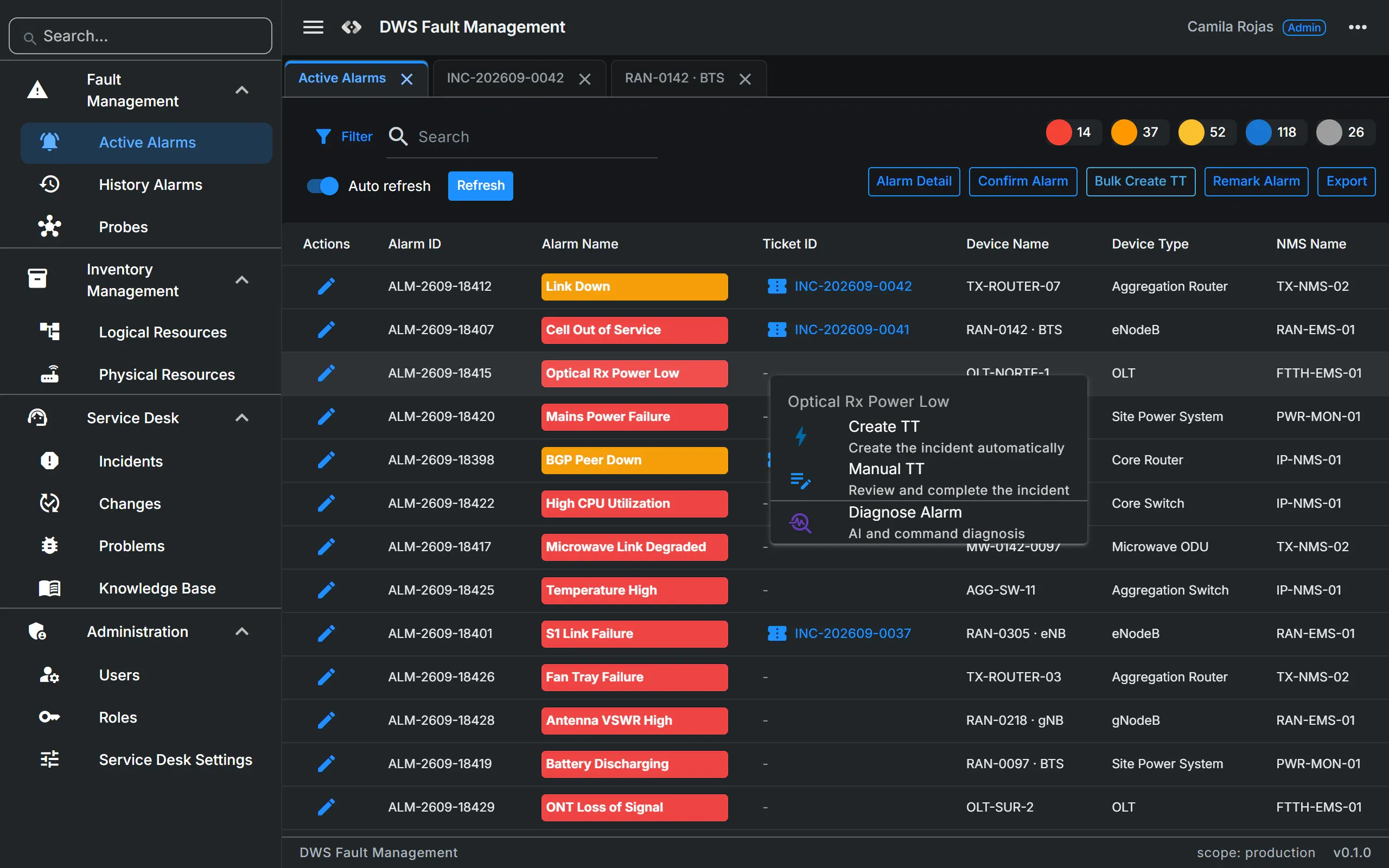
Every alarm lands in the Active Alarms console, a dense table built for long lists, with VIP nodes highlighted and the ticket of each alarm one click away.
- 03
Resolve
Right-click, Create TT. Work the incident with its configuration item, close it with a root cause, and turn the resolution into a knowledge article.
- 01Network element fails
- 02NMS sends the alarm to the webhook
- 03Queued, batched, de-duplicated
- 04Alarm in Active Alarms
- 05Create TT: incident with priority and impact
- 06Resolution: root cause, closure code
- 07Knowledge article published
04 · Modules
Four modules, one workspace.
The alarm, the affected network resource, the ticket, the root cause and the lesson learned live in one place instead of in four disconnected tools.
Fault Management
- Open alarm webhook, queued, batched and de-duplicated
- Active Alarms console with VIP nodes highlighted
- One-click trouble ticket: Create TT, or Manual TT to review first
Inventory
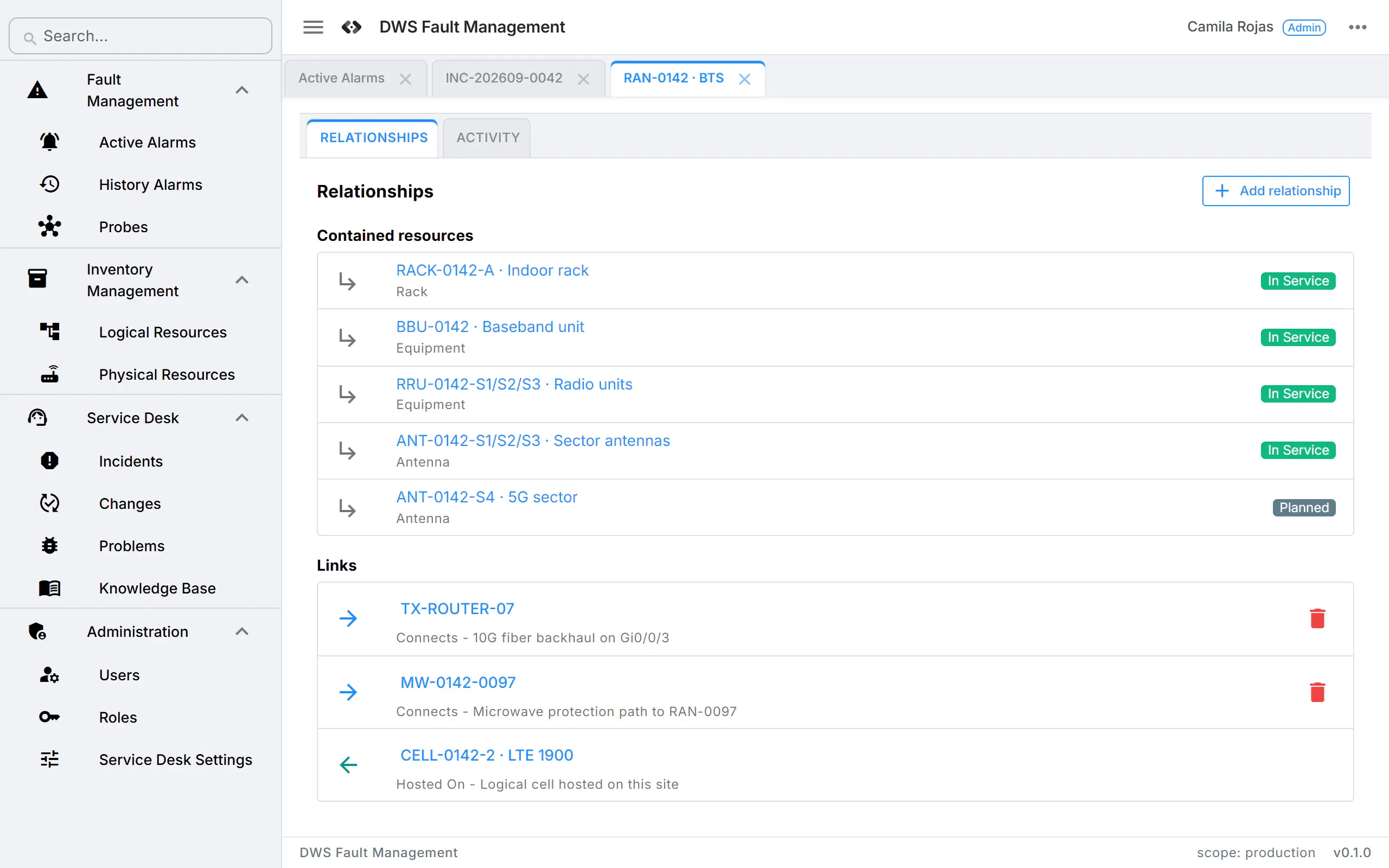
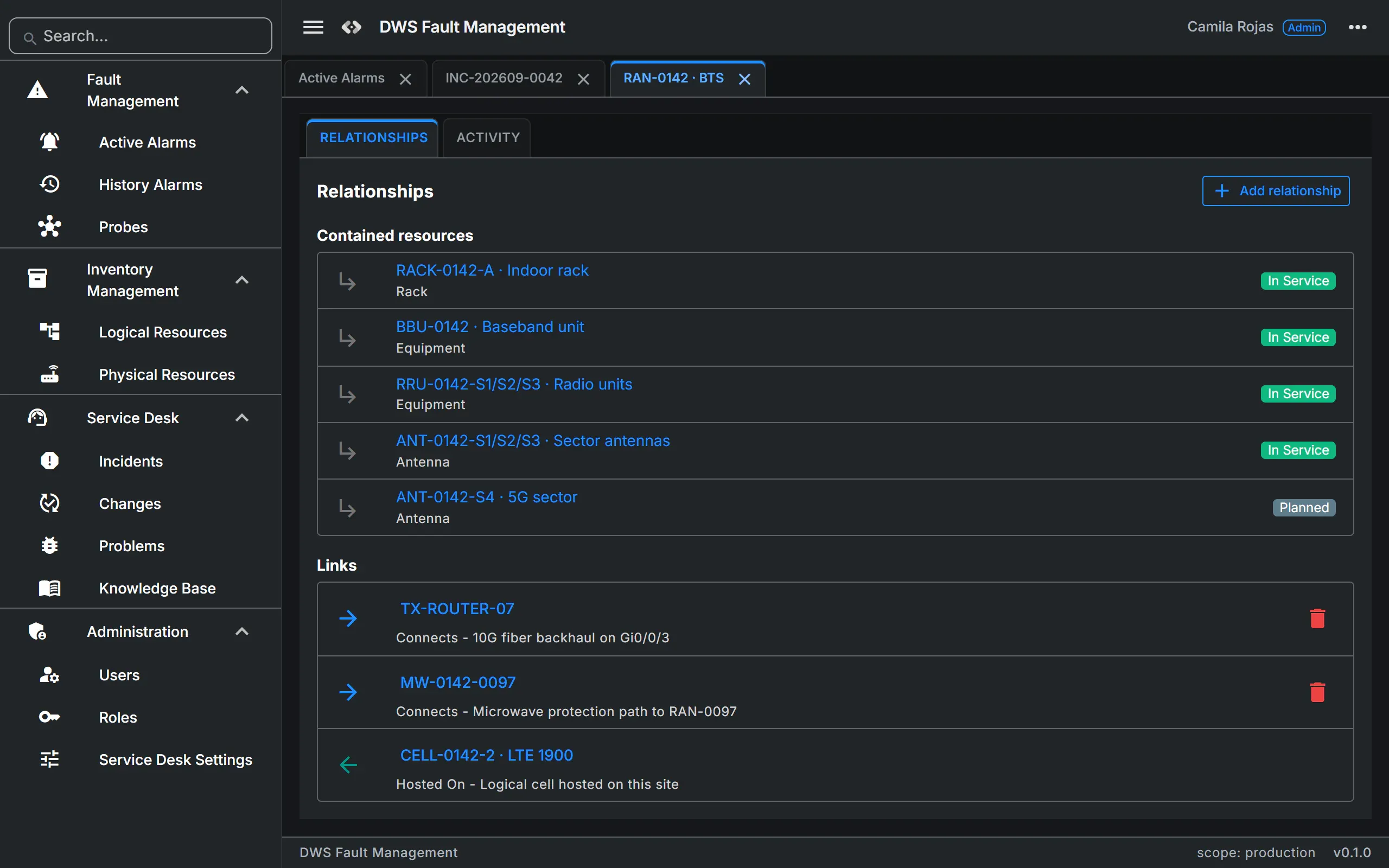
- Logical resources: circuits, IPs, VLANs, VPNs, VNFs
- Physical resources: sites, racks, cards, ports, fibers, poles, with “Open in maps”
- Hierarchies, typed links and lifecycle status
Service Desk
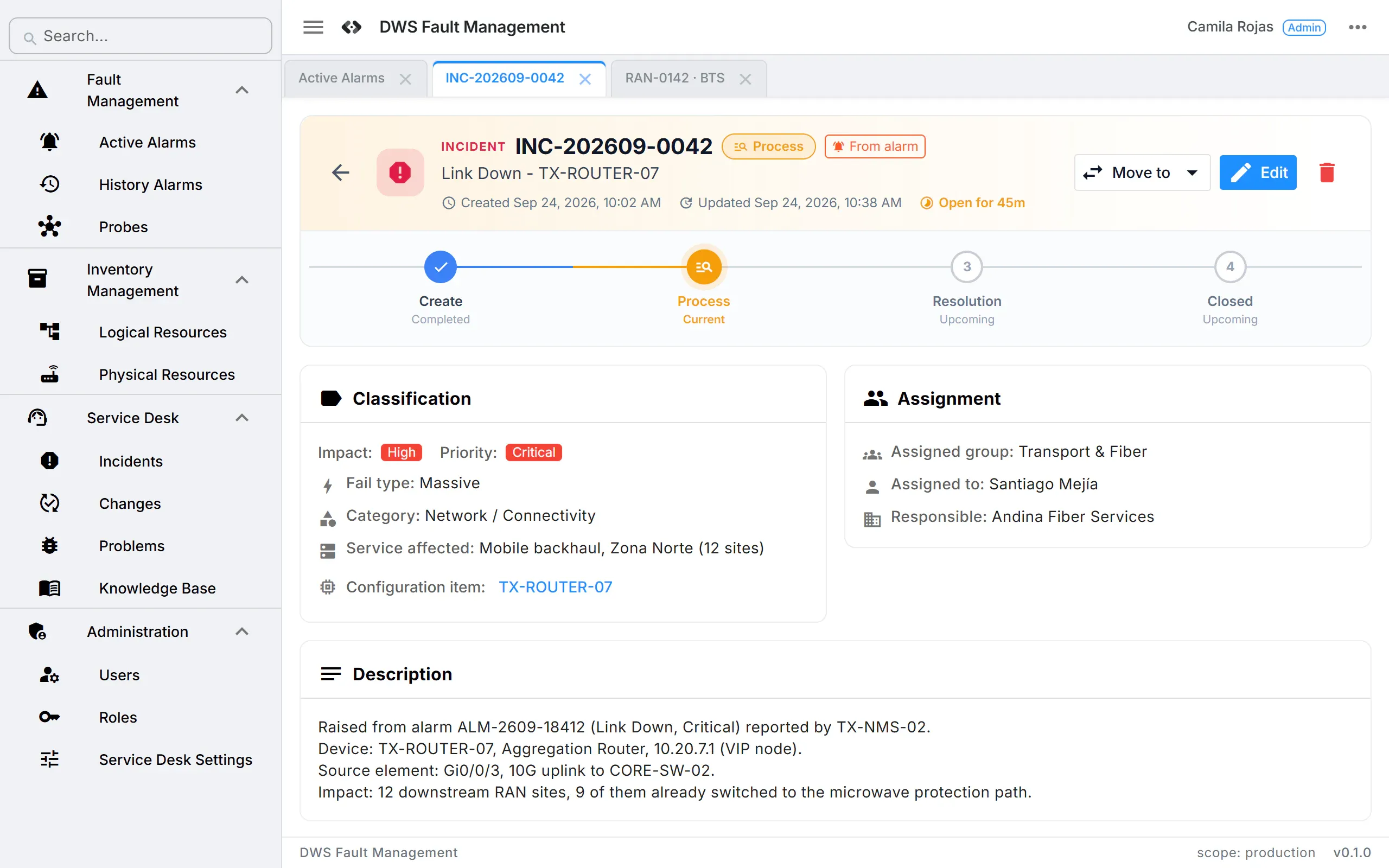
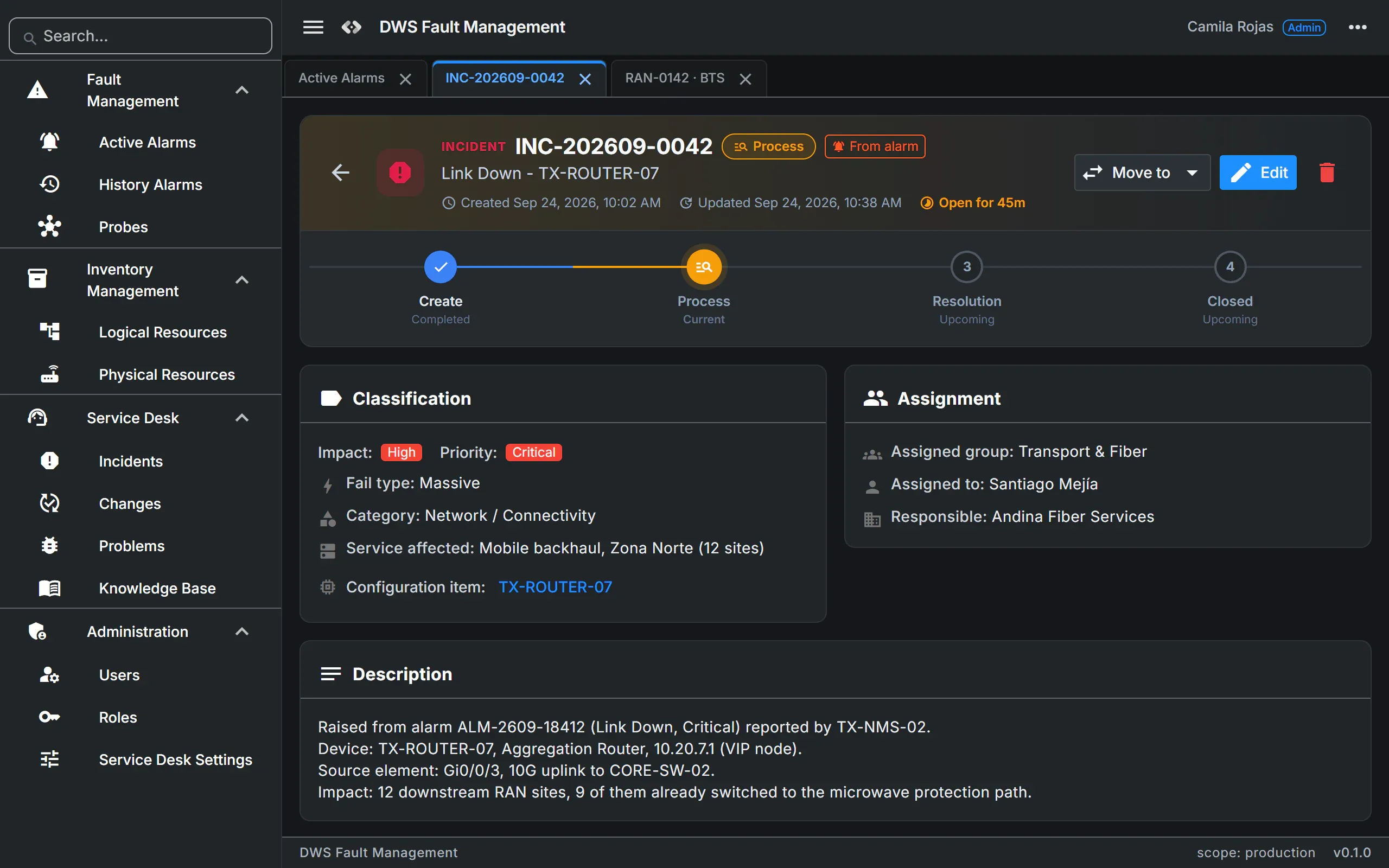
- Incident, Problem (with Known Errors) and Change: Standard, Normal, Emergency
- Knowledge Base fed from incident resolutions
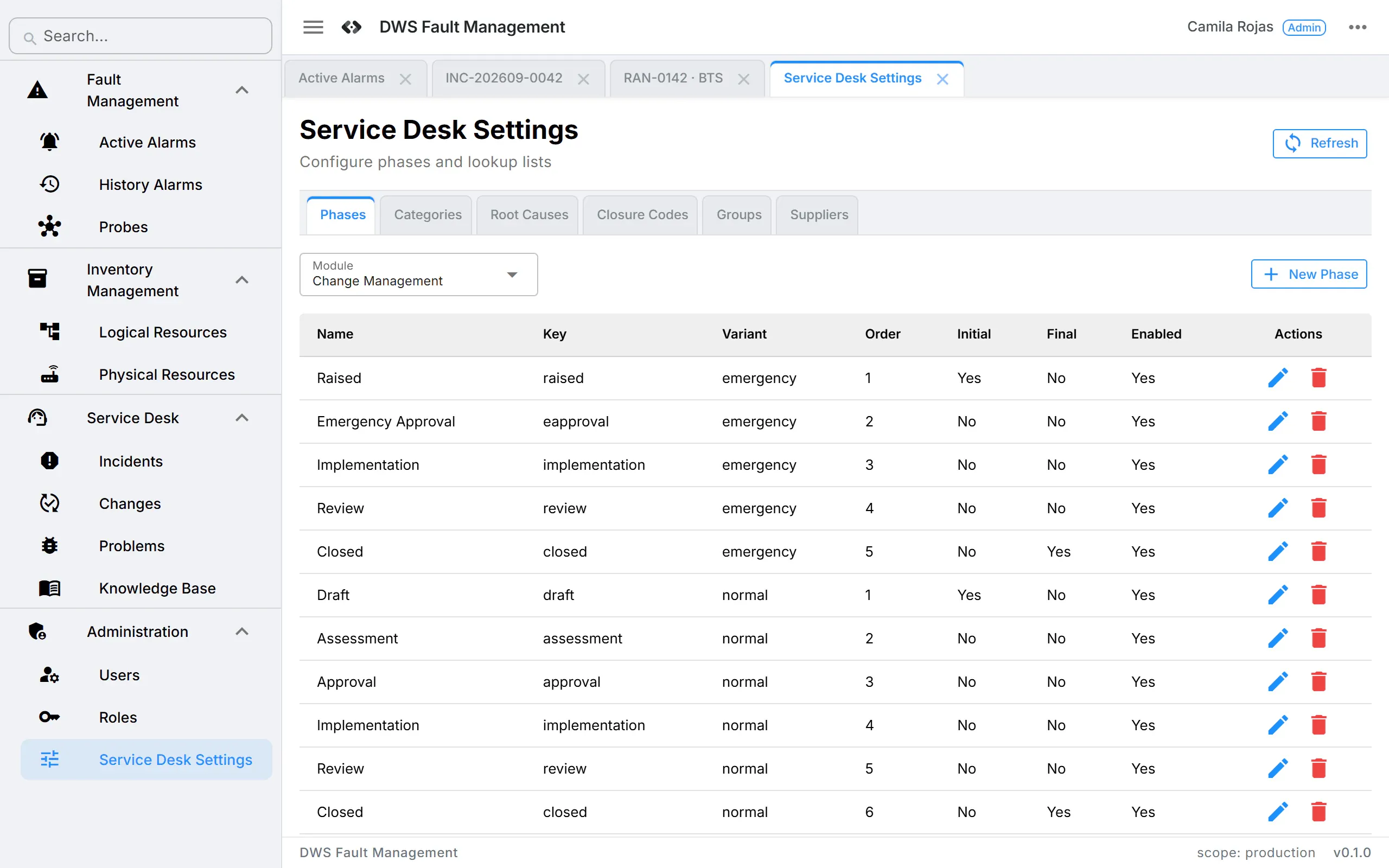
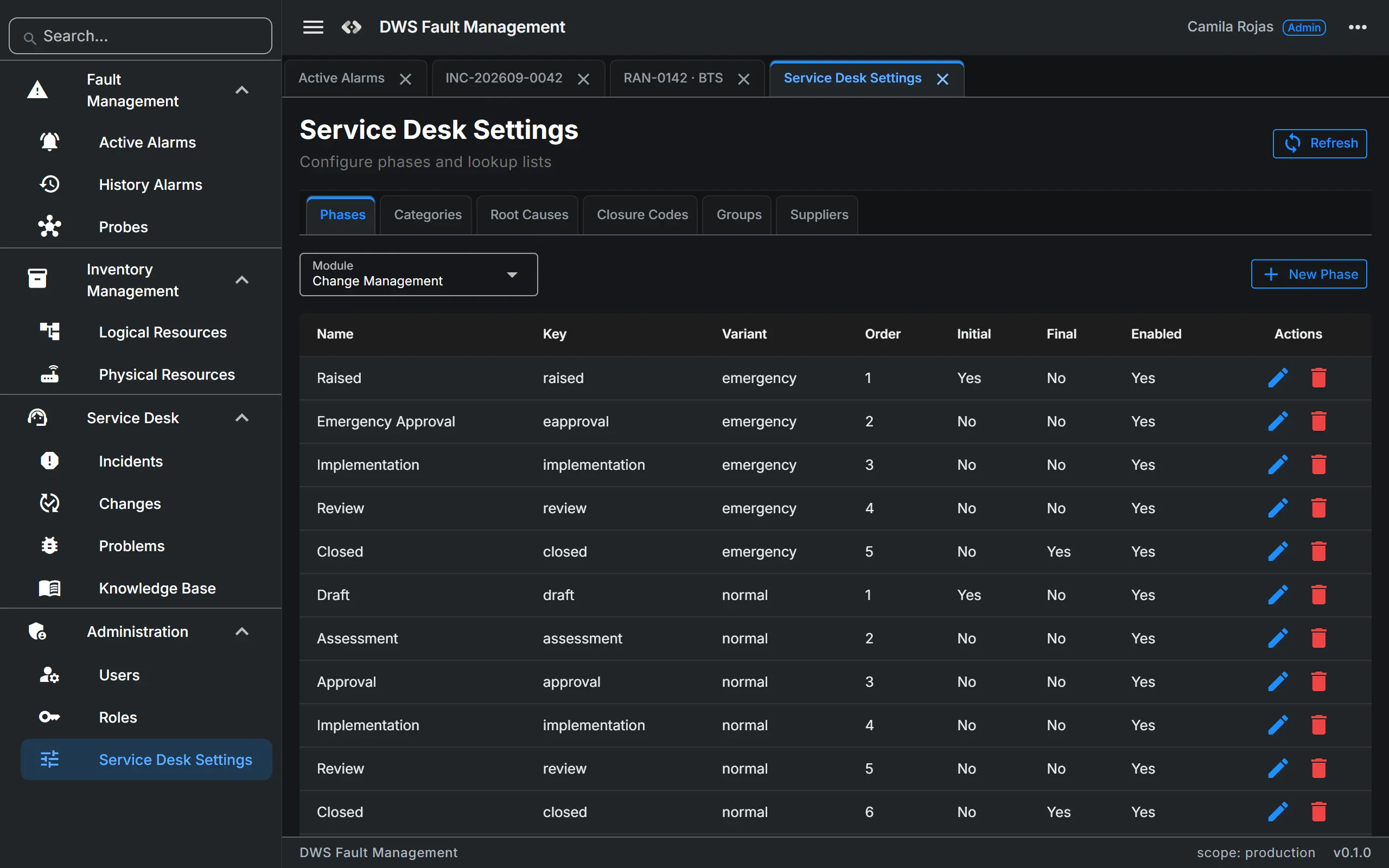
- Phases, categories, root causes and closure codes you can edit without code
Administration
- Users and roles built from 35 permissions
- Permissions checked on every API call; role changes apply at once
- Account lockout after 10 failed logins
05 · Built for telecom
Generic ITSM tools don't speak telecom. This one does.
A built-in telecom taxonomy, all editable: the network the NOC runs, the way alarms really arrive, and the faults that matter most.
- Network domains
- Radio Access Network
- Core Network
- Transport
- IT
- Datacenter
- Outside Plant
- Customer Premises
- Technologies
- 2G
- 3G
- 4G
- 5G
- Fixed Line
- FTTx
- Microwave
- Physical resources · 17 types
- Site
- Building
- Rack
- Equipment
- Card
- Port
- Fiber
- Duct
- Pole
- …
- Logical resources · 15 types
- Circuit
- IP Address
- Subnet
- VLAN
- VPN
- VNF
- …
- Alarm model
- 138 attributes per alarm
- ITU-T X.733 aware
- VIP nodes raise impact
- Site-down faults become Massive
06 · Integration and deployment
Listens to your NMS. Runs inside your network.
One API service, one MySQL database and a static web app: a compact footprint that can sit inside your own network or private cloud, next to the NMS it listens to.
- Vendor NMS, EMS or probesends each alarm
- HTTP POST · JSON:Alarm webhookanswers at once
- Queuein memory
- Background worker~1 s batches, upsert by message ID
- MySQLalarms, inventory, tickets
- REST API:DWS web appwhere operators work
Open alarm webhook
Any system that can send JSON over HTTP can feed the console. A GET on the same URL works as a health check.
Open REST API
Everything the web app does goes through the REST API, so OSS/BSS, reporting and automation can use the same functions.
Compact deployment
The API runs on Linux; the web app is a static build any web server can serve, at a domain root or under a sub-path.
Browser-based, installable
No client installation. Multi-tab workspace, searchable menu, CSV export, and a prompt when a new version is deployed.
Access by role
Roles built from 35 permissions, checked on every protected API call. Disabling a user blocks access at once.
Account lockout
Accounts lock after 10 failed logins; administrators can reset a password, which also unlocks the account.
07 · Coming soon
In preview.
The screens are designed and interactive but run on sample data today. Ask us where each one stands.
- Preview
AI diagnosis
A summary, an impact assessment, probable causes with confidence and evidence, recommended actions, and links to related knowledge, incidents and runbooks.
- Preview
Command diagnosis
Read-only diagnostic commands run against the affected element, shown step by step with live status and the raw output.
- Preview
Probes
Manage the agents that collect alarms from vendor systems: parsing packages, upgrades and allowed sender IPs.
08 · In numbers
138
attributes per alarm in the fault data model
~1 s
batching window for alarm writes during bursts
1 click
from alarm to a classified trouble ticket
23
workflow phases across 5 workflows, all editable
17 / 15
physical / logical resource types
35
granular permissions for role-based access
09 · FAQ
What NOCs ask first.
- Which NMS can send alarms?
- Any system that can POST JSON over HTTP to the alarm webhook. Probes for collecting alarms from vendor systems are in preview.
- Can we host it ourselves?
- Yes. It is one API service, one MySQL database and a static web app, compact enough to run inside your own network or private cloud.
- Can we adapt the workflows?
- Yes. Phases, categories, root causes, closure codes, assignment groups and suppliers are configurable without code.
- Does it replace our ITSM tool?
- It covers Incident, Problem, Change and Knowledge for network operations, and exposes a REST API so it can coexist with the tools you keep.
10 · Get started
Every alarm, every ticket, every site. One operations workspace.
Book a NOC demo and tell us which NMS sends your alarms and how your NOC raises tickets today. [CONFIRM: demo format and what it includes]
WhatsAppRuns inside your network
- One API service, one MySQL database and a static web app
- Runs on Linux, served by any web server
- Any modern browser, no client installation
- Open REST API for OSS/BSS, reporting and automation